Delete Account
We're sorry to see you go. If you'd like to delete your Grato Rewards account and all associated data, please follow the instructions below. Account deletion is permanent and cannot be undone.
Delete Account via App
For security reasons, you can only permanently delete your account directly from the Grato app. Follow the simple steps below.
1
Open the Grato App
Launch the Grato Rewards app on your mobile device and ensure you are logged in.
2
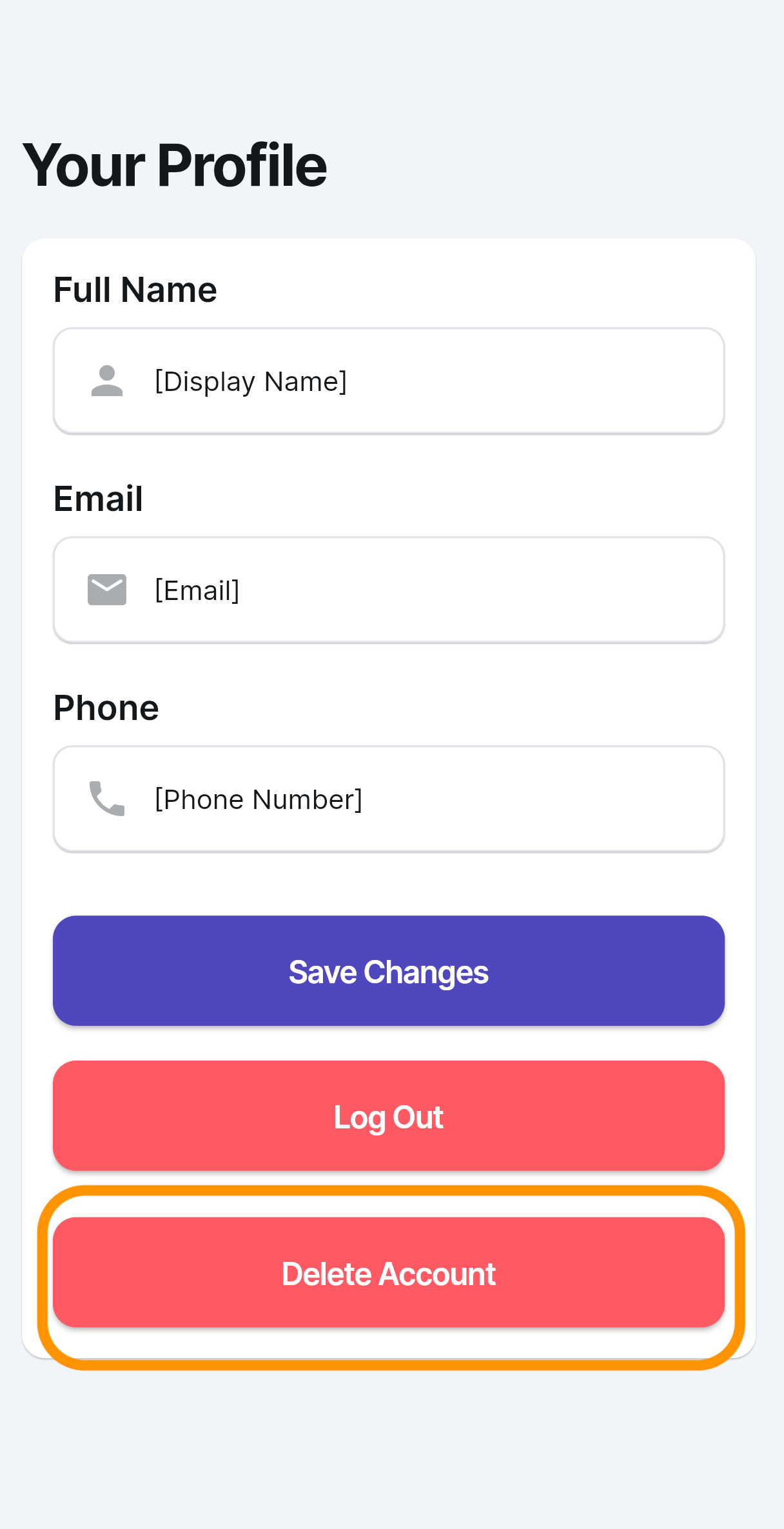
Go to Your Profile
Navigate to your profile settings from the main menu.
3
Tap "Delete Account"
Scroll to the bottom of your profile and tap the Delete Account button. Confirm your choice to permanently remove your data.